julianbrunke.com Coming soon
A free Claude Artifact

Good analysis in,
genuinely good learning out.

Paige Studio walks you through the learning needs analysis and design decisions before you build — so when you hand the brief to Claude or any AI tool, it works from real context instead of guessing.
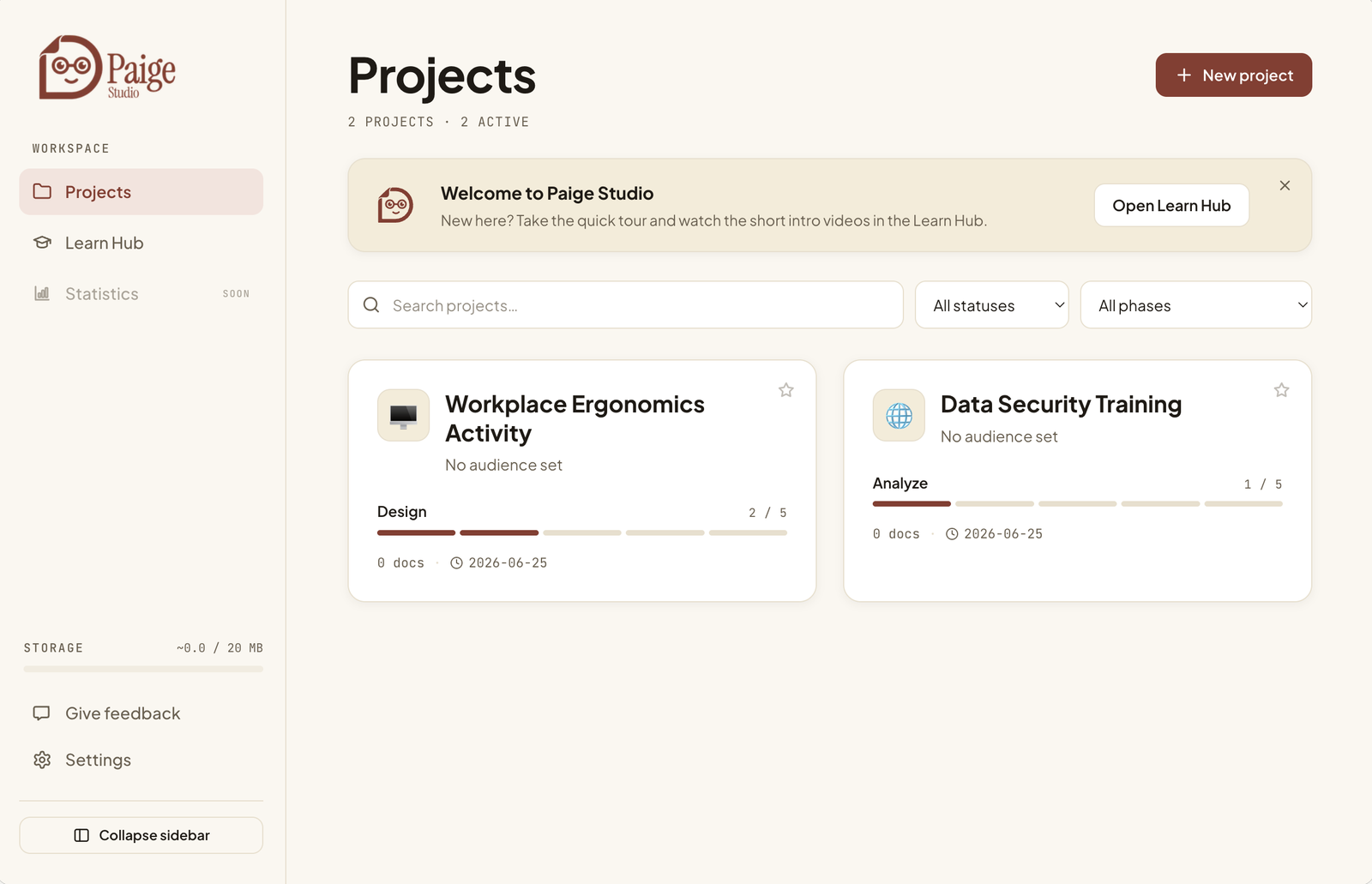
Paige Studio — projects dashboard
What it is

A coach for the part everyone skips

Most AI learning tools jump straight to generating content. Paige starts one step earlier — with the thinking that decides whether any of it is worth building.

Analyse first

Audience, behaviour, goals, constraints. Paige asks the questions a good instructional designer would, before a single slide exists.

Coming soon

ADDIE or SAM

Work the way you already think. Paige structures the project around a real instructional-design process, not a generic chatbot prompt.

Coming soon

Hand off clean

Export a brief that carries real context into Claude or any AI tool — so what comes back is usable, not a generic first draft.

Coming soon
Watch

See Paige in action

Short walkthroughs are on the way — a quick tour of the studio and how a project moves from blank page to a brief AI can actually use.

Intro walkthrough · coming soon
Analysis deep-dive · soon
Handing off to Claude · soon
How it works

Four steps, one good brief

1

Start a project

Name the training challenge and who it's for. Paige sets up the workspace around your framework of choice.

2

Work the analysis

Answer Paige's questions on audience, behaviour and goals. This is the part that makes everything downstream better.

3

Shape the design

Turn the analysis into clear design decisions — structure, approach, what to build and what to cut.

4

Hand it to AI

Export a context-rich brief and build with Claude or any AI tool. Good analysis in, genuinely good learning out.

FAQ

Questions, answered

A few things people tend to ask. More will land here as Paige gets closer to launch.

Is Paige Studio really free?

Yes. Paige runs as a free Claude Artifact — there's nothing to buy and nothing to install. (Placeholder answer — final wording to come.)

Do I need a Claude account?

Placeholder answer. This is where the requirements to run the artifact will be explained clearly.

Does it replace an instructional designer?

Placeholder answer. Short version: no — Paige is a thinking partner that structures your analysis, not a replacement for judgement.

ADDIE or SAM — which does it use?

Placeholder answer. This is where the supported frameworks and how switching works will be described.

Where is my data stored?

Placeholder answer. This is where data handling and storage will be explained for peace of mind.

When does it launch?

Placeholder answer. Soon — and this page is where the link and walkthroughs will appear first.

Paige is almost ready

The studio is free and runs as a Claude Artifact — nothing to install. The link to try it, the walkthroughs and a written guide all land here first.

Open the artifact — coming soon
Want a heads-up at launch? Drop me a line.